CASE STUDY

Chat Interface

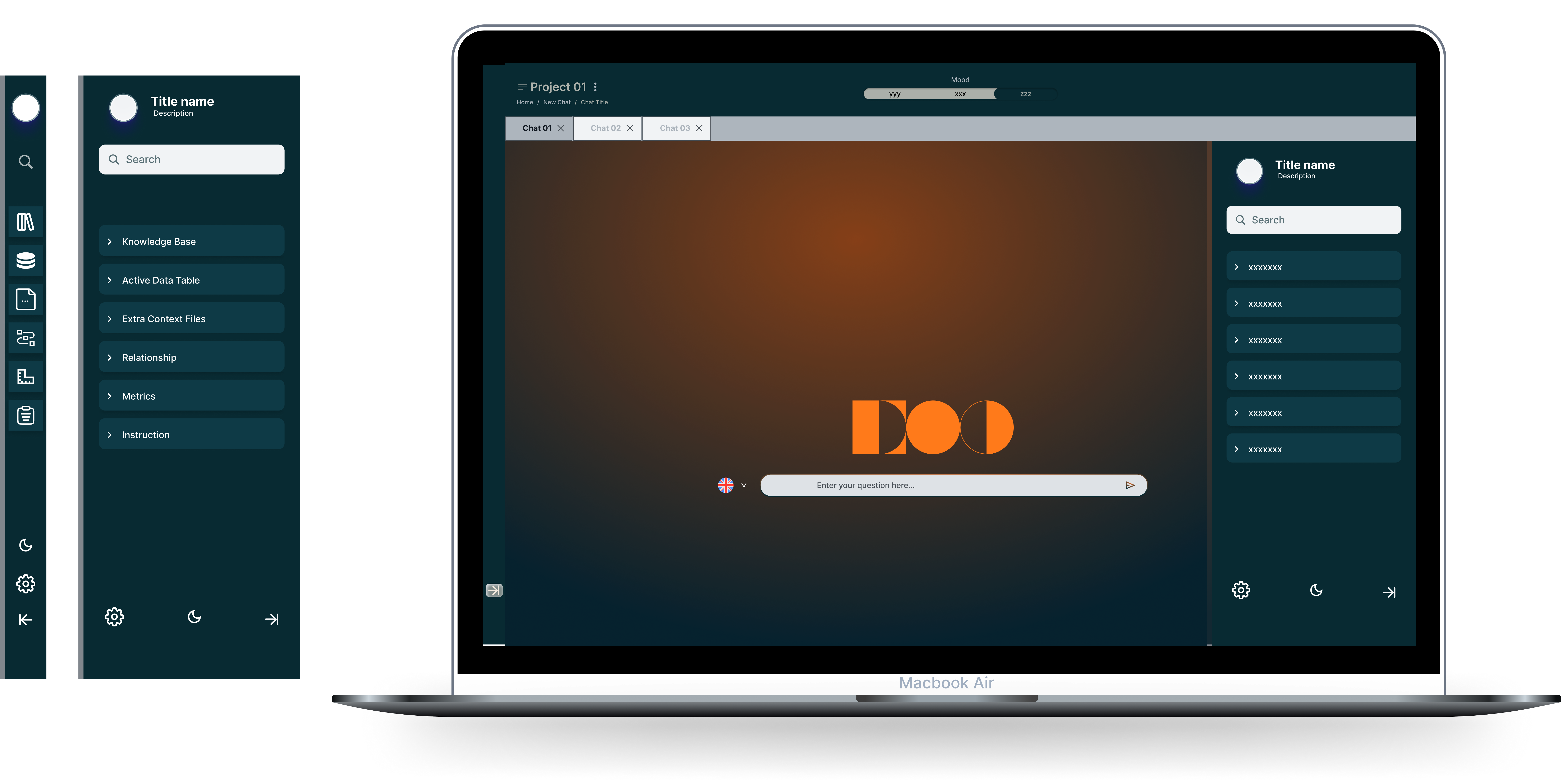
A chat workspace where the conversation stays central while navigation expands and collapses on demand.
Role Product Designer
Focus UX + UI
Tools Figma
Chat interface overview showing expanded and collapsed sidebar states

Project Context

This project focuses on the control layer of an AI workspace. The conversation stays at the center, while the surrounding system needs to stay clear, expandable, and easy to navigate.

Challenge

  • Keep the chat area clean and focused
  • Support expanded and compact navigation states
  • Make tools accessible without overwhelming users
  • Preserve orientation inside a complex AI workspace
  • Create a structure that can scale with future features

My Role

I shaped the interaction structure and visual logic for the sidebar system, defining how the workspace should respond as users move between focus and exploration.

Sidebar Interaction States

The sidebar works as the control layer of the chat interface. It expands when users need orientation and collapses when they need a focused conversation space.
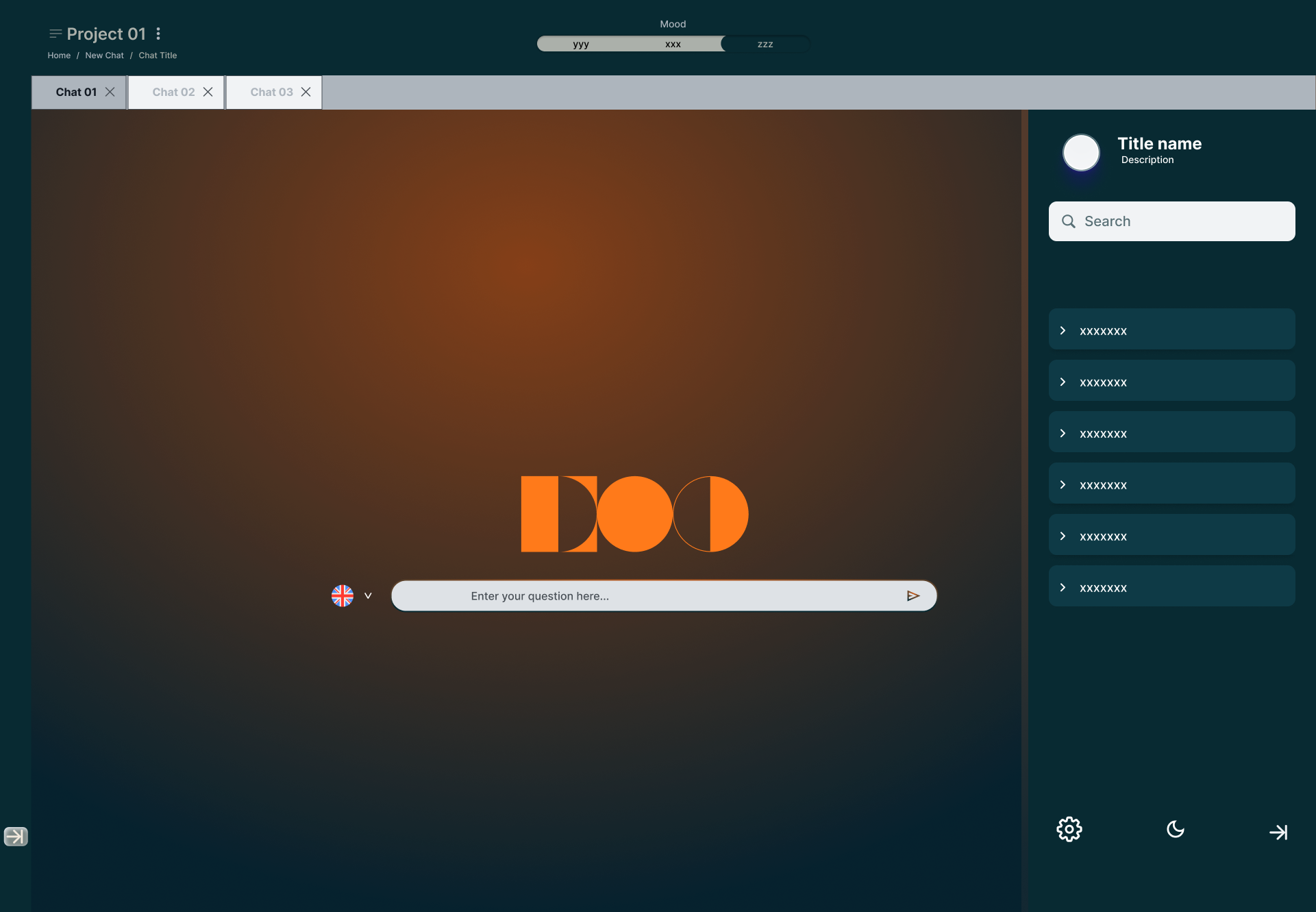
Expanded chat interface sidebar with grouped navigation

Expanded Sidebar

  • Shows search, title, and grouped navigation
  • Helps users understand available tools
  • Helps users stay oriented during long tasks
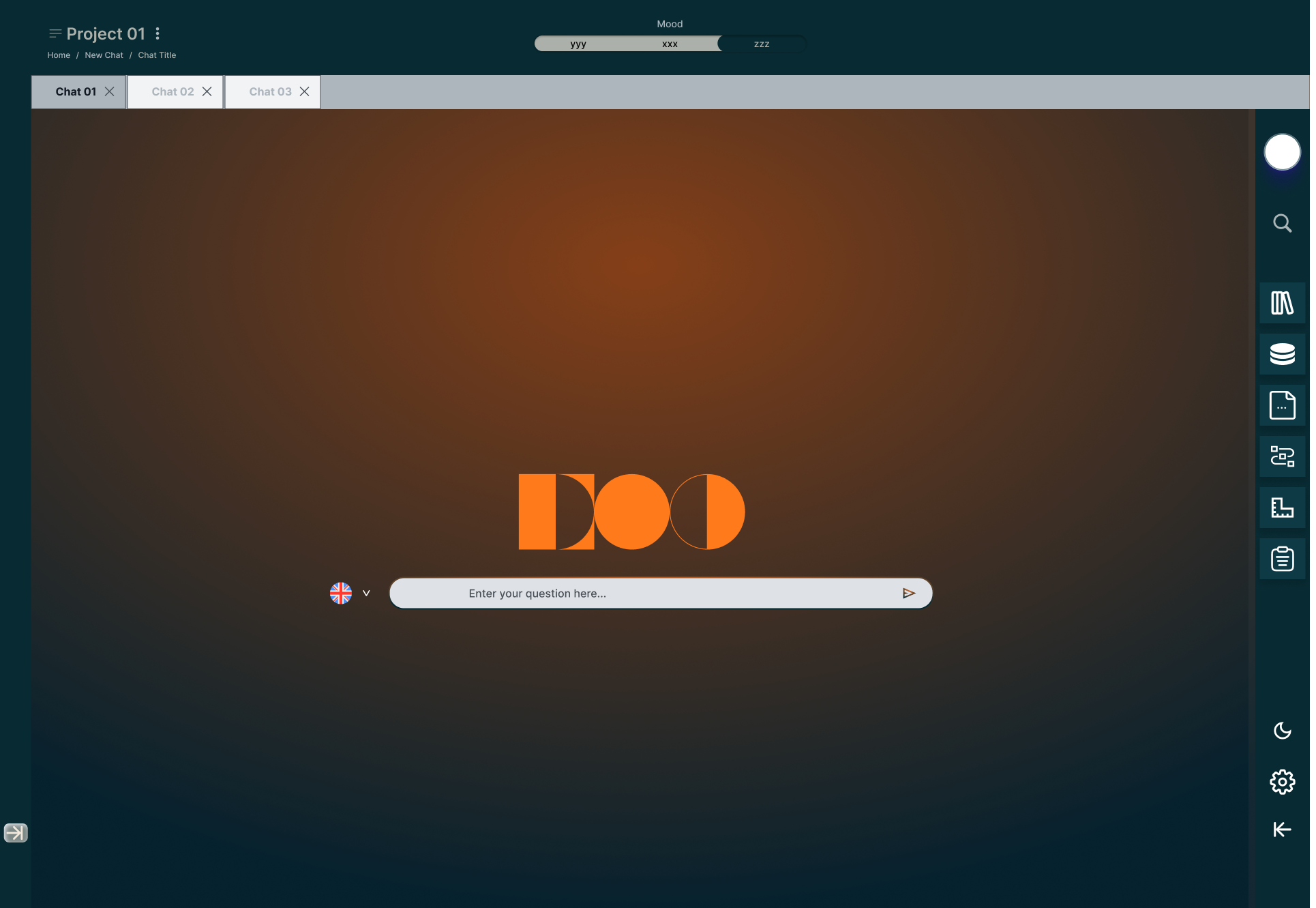
Collapsed chat interface with compact icon sidebar

Collapsed Sidebar

  • Reduces visual noise around the chat area
  • Keeps core tools accessible through icons
  • Supports focused conversation and task flow

Process

I designed the sidebar as a switch between two clear modes: explore and focus. That gave users control without crowding the conversation area.

Key Interface Decisions

The design manages complexity through layout behavior instead of adding more screens. The sidebar becomes a flexible control surface, while the conversation remains the primary workspace.

Expandable Navigation

  • Expanded mode helps users discover tools and content groups
  • Search and grouped sections improve orientation
  • The layout supports onboarding and exploration

Focused Workspace

  • Collapsed mode gives more space to the conversation
  • Icon navigation preserves access without clutter
  • The chat experience stays calm and readable

System That Can Grow

  • The sidebar can support future tools and sections
  • The structure works for different AI capabilities
  • Navigation behavior stays consistent as features expand

Key UX Decisions

  • Kept the chat input visually stable across sidebar states
  • Used expanded navigation for orientation and collapsed navigation for focus
  • Grouped controls into one sidebar system instead of scattering actions across the canvas
  • Maintained a clear center of attention around the AI conversation
  • Designed the interface to support future features without redesigning the layout

Final Solution

  • Created a structured AI chat workspace with clearer navigation behavior
  • Reduced interface noise by separating conversation and control layers
  • Improved scalability through reusable sidebar states
  • Supported both exploration and focused work inside the same interface

Outcome

The interface reduced noise and sped up navigation choices, especially during longer sessions. It also established a layout pattern that new modules can reuse without redesigning the workspace.